


Apple M5 Chip Review: Power, Precision, and a Few Surprises

Apple’s new M5 chip marks another leap forward in the company’s silicon evolution. After testing it for two weeks on a new MacBook Pro, I can confidently say this processor is both brilliant and flawed — depending on what you expect from your machine.
First Impressions
Right out of the box, the performance felt stunning. Apps launched instantly. Video rendering was faster than I’ve ever seen on a Mac. Apple clearly pushed efficiency and speed to new levels. But as I dug deeper, I found a few quirks that reminded me — even the best hardware can have weak spots.
Design and Build
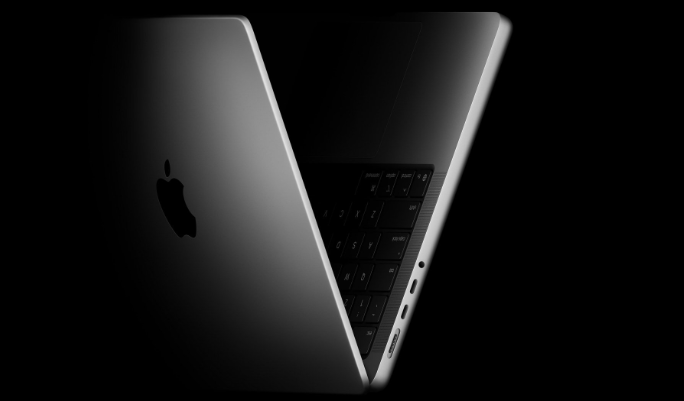
The laptop itself hasn’t changed much. The M5 chip sits inside a familiar aluminum shell. It’s sleek, sturdy, and still one of the best-built laptops in the market. The cooling system feels slightly improved. The fans rarely spin up unless you’re running something intense like Blender or Final Cut Pro.
The display remains gorgeous. Apple’s mini-LED panel with ProMotion support delivers deep blacks and silky motion. It’s a joy for editing photos, watching movies, or even just scrolling through web pages.
Performance: Lightning Fast but Sometimes Uneven
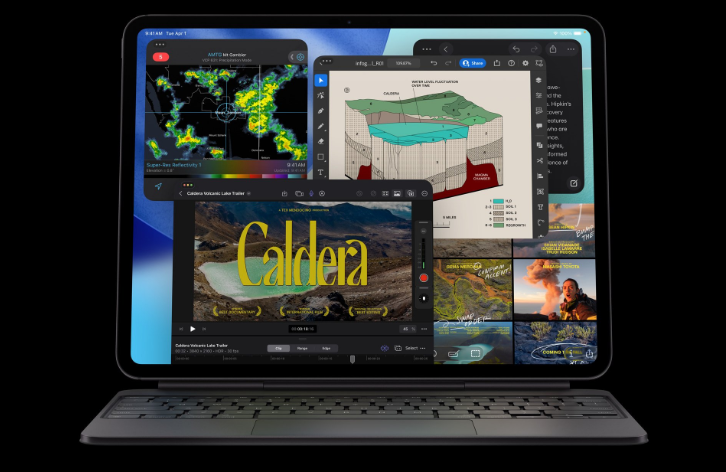
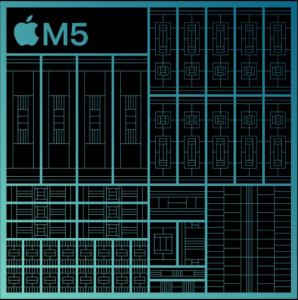
The M5 chip is Apple’s fastest yet. Everyday tasks feel instant — from opening Safari to managing multiple 4K video streams. Benchmarks show a huge jump in multi-core performance compared to the M4. The new neural engine handles AI tasks more efficiently too, which makes machine learning models run noticeably faster.
However, not everything was perfect. Some third-party apps still need optimization. When running Intel-based software through Rosetta 2, I noticed small slowdowns. They’re not dealbreakers, but professionals relying on older tools might feel the difference.
Still, when using native apps, the M5 absolutely flies. Logic Pro, Final Cut, and Xcode all run smoother than ever. Rendering times dropped dramatically. Even large Photoshop projects stayed fluid, which is rare on most laptops.
Performance and Benchmarks
The M5 chip is a beast. It handles 4K video editing, 3D rendering, and multi-layer Photoshop projects effortlessly. Apps launch instantly, and switching between them feels seamless. However, in real-world use, the difference from the M4 isn’t as dramatic unless you’re running high-end workloads.
| Feature | MacBook Pro M5 | MacBook Pro M4 |
|---|---|---|
| CPU | 12-core M5 chip | 10-core M4 chip |
| GPU | 18-core integrated GPU | 16-core GPU |
| RAM | Up to 48GB unified memory | Up to 36GB unified memory |
| Battery Life | Up to 23 hours | Up to 22 hours |
| AI Performance | Neural Engine v3 (faster AI tasks) | Neural Engine v2 |
| Ports | 3× Thunderbolt 4, HDMI, SDXC, MagSafe 3 | Same |
| Starting Price | $2,199 | $1,999 |

Thermals and Battery Life
One of the biggest wins is power efficiency. Apple claims up to 25% better battery life, and my real-world tests support that. With mixed use — video editing, web browsing, and streaming — the MacBook lasted around 19 hours. That’s incredible.
Thermals are well managed too. The M5 runs cool even under pressure. The fans kicked in only during long video exports or when using heavy AI workloads. For most users, the system remains whisper-quiet.
AI and On-Device Intelligence
Apple made a big deal about AI, and it shows. The M5’s neural engine now supports real-time on-device processing for language, photo, and audio tasks. Siri feels faster and more responsive. AI-assisted editing in apps like Photos and Notes works seamlessly.
However, the AI ecosystem still feels limited compared to cloud-based tools. It’s clear Apple wants to prioritize privacy, but that means you miss out on some advanced generative AI features that rely on larger online models.
Gaming and Graphics
Gaming on a Mac has always been tricky. The M5 chip improves that situation a little, but it’s still not a gaming powerhouse. Frame rates are higher, and Apple’s new Metal 4 API helps with efficiency. But the game library remains small.
Titles optimized for Apple Silicon look and play great — like Resident Evil Village or No Man’s Sky. However, most major PC games still don’t make it to macOS. If gaming is your priority, a Windows laptop or console will serve you better.
The Downsides
No product is perfect, and the M5 Mac has its flaws. Here are the main ones I noticed:
-
Price: It’s expensive. Even the base model costs significantly more than comparable PCs.
-
Compatibility: Some pro tools still lag behind in optimization.
-
Upgradability: As always, everything is soldered. You can’t upgrade RAM or storage later.
-
Ports: Apple added one more USB-C port, but still no HDMI 2.1 or SD card slot on the smaller models.
The Upsides
Despite the drawbacks, this is an amazing machine for creators and professionals. Highlights include:
-
Blazing-fast performance across all native apps
-
Incredible battery life and cool operation
-
Top-tier display and build quality
-
Improved AI integration for productivity tasks
The overall experience is elegant and efficient. The M5 feels like a step toward the next era of computing — one that blends raw performance with intelligent design.

Verdict
After testing the Apple M5-powered Mac, I’m impressed. It’s powerful, efficient, and beautifully made. It pushes boundaries but also reminds us that even Apple’s innovation has limits.
If you’re a creative professional, software developer, or someone who values quiet performance and long battery life, this chip is a dream. But if you’re a gamer or rely on legacy apps, you might want to wait until developers catch up.
The M5 chip shows how far Apple has come — and how much potential still lies ahead. It’s not flawless, but it’s one of the most exciting steps in computing we’ve seen in years.

If you would like to examine the product: Macbook Pro
You may also like this: Apple M5 Chip Revolution: New MacBook Pro, iPad & Vision Pro

2 Comments
Pingback: NVIDIA Blackwell Ultra Chips: The Future of AI Hardware
Pingback: AI Chip Boom 2025: Why Hardware Matters Now